
🎹 MIDI Channel Adapter
DoraPiano now supports MIDI channel filtering for plugins, allowing you to apply effects to specific instruments or tracks in multi-track MIDI files.
Channel Adapter Feature
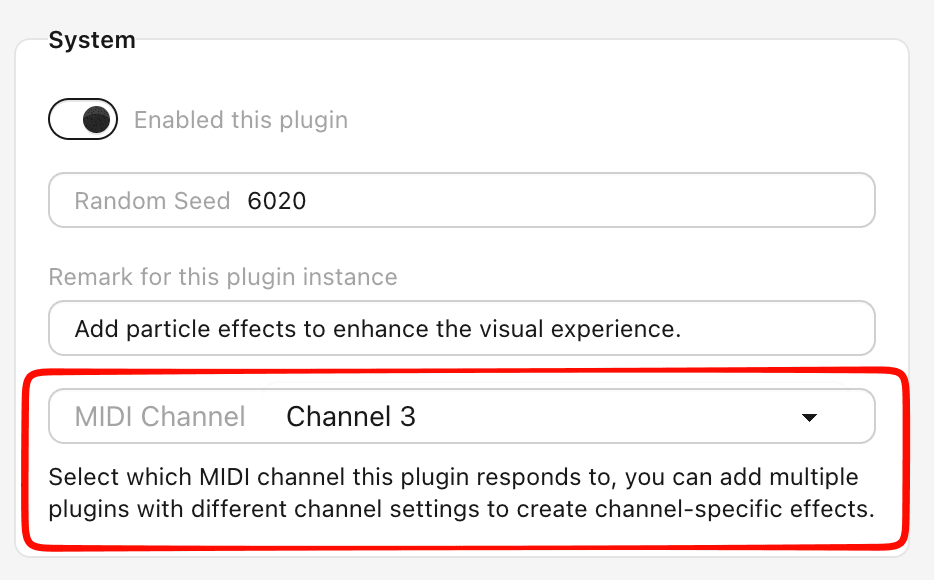
When you enable the Channel Adapter option for a plugin, you gain the ability to:
- Filter by specific channel: Apply effects only to notes from a particular MIDI channel
- Respond to all channels: Set to "All Channels" to affect every note
- Create multiple instances: Use the same plugin type multiple times, each targeting a different channel
Some plugins like Saber or Background Image does not support channel adapter, as they are designed to affect the entire scene rather than individual notes.
If a plugin supports channel adapter, you can find the option in the plugin's settings panel. By default, it is set to "All Channels", meaning the plugin will respond to notes from any channel. To target a specific channel, simply select the desired channel from the dropdown menu.
Bellow is a demo piece that uses channel adapter to create separate visual effects, this piece use multiple note plugins and particle plugins with different channel settings to create a rich and dynamic visualization that responds to different instruments in the MIDI file.
Loading...